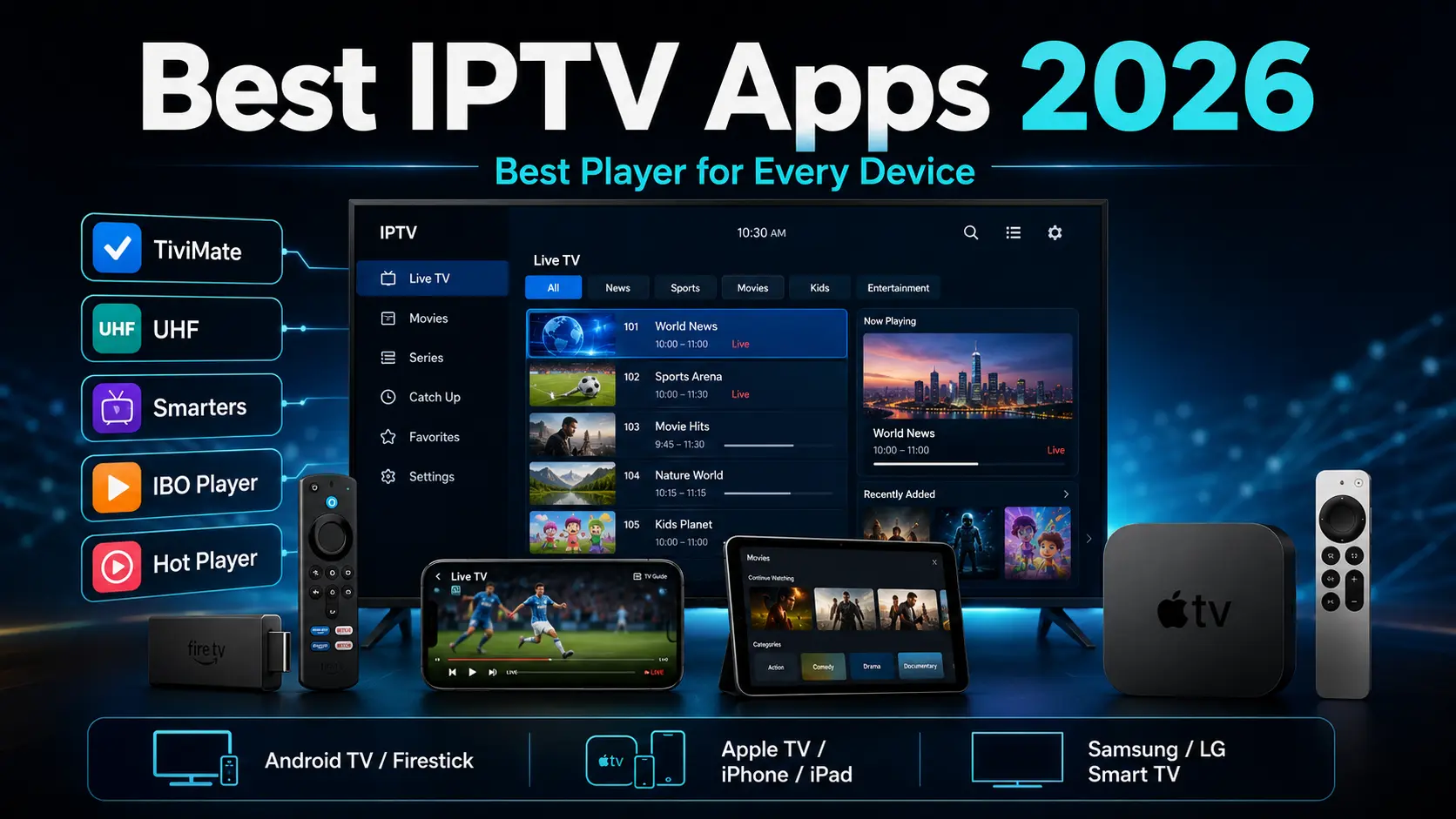
Picking the right IPTV app in 2026 comes down to one thing above all else: the device you actually watch on. A player that feels superb on an Android TV box may not even exist on Apple TV, and an app crafted around the iPhone and Apple TV won't necessarily be the smart pick for a Firestick or an NVIDIA Shield.
After years of installing and supporting these players across all kinds of hardware, here's where our recommendations land right now — organised so you can jump straight to your device.
Quick recommendations at a glance
Our top pick for each device
Keep one thing in mind: the app itself never supplies the channels. An IPTV player is simply software that organises and plays a compatible playlist provided by a service. If you just need a playlist to try any of these apps, Get Streamer HD IPTV includes a free 36-hour trial with no payment details required.
Best IPTV app by device
| Device | Our #1 choice | Alternative |
|---|---|---|
| Firestick / Fire TV (Fire OS) | TiviMate | IPTV Smarters Pro |
| Android TV / Google TV | TiviMate | IPTV Smarters Pro |
| NVIDIA Shield | TiviMate | IPTV Smarters Pro |
| Android phone / tablet | IPTV Smarters Pro | IBO Player |
| Apple TV | UHF – Love Your IPTV | Smarters Player Lite |
| iPhone / iPad | UHF – Love Your IPTV | Smarters Player Lite |
| Mac | UHF – Love Your IPTV | IBO Player |
| Samsung Smart TV | IBO Player / IBO Player Pro | Hot Player |
| LG Smart TV | IBO Player | Hot Player |
| Windows PC | IPTV Smarters Pro | IBO Player |
Exact app availability can differ depending on your TV model, its operating-system version and your country, so it's always worth confirming before you activate a playlist.
1. TiviMate — best for Firestick, Android TV & Google TV
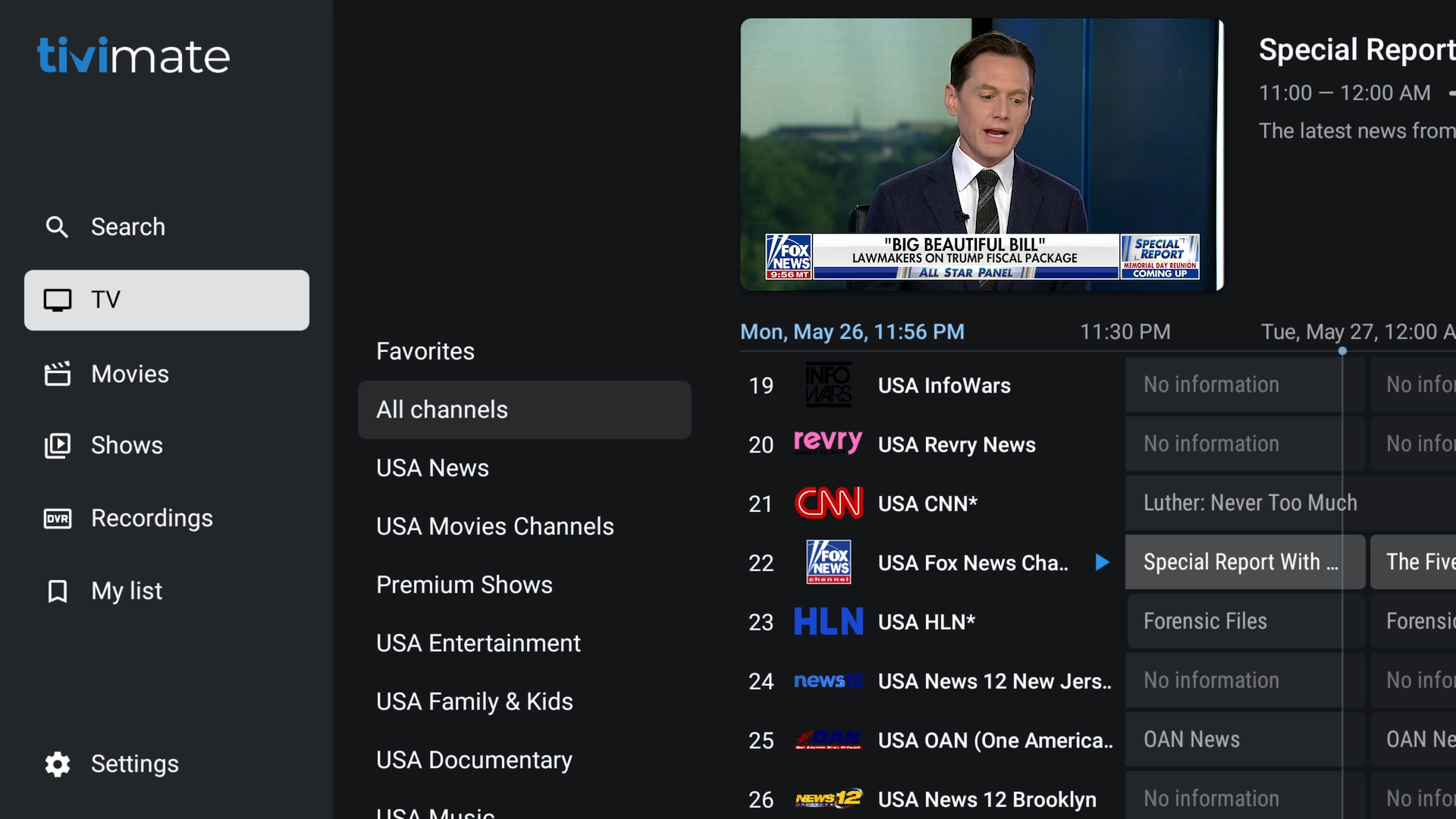
TiviMate stays our top pick for TVs and streaming boxes running Android TV, Google TV or compatible Fire OS builds. It's designed around a television screen and a remote rather than a touchscreen, so the whole experience feels much closer to a traditional cable or satellite guide than most IPTV apps do.
Great on these devices
- Android TV boxes
- Google TV devices
- NVIDIA Shield TV
- Compatible Firestick / Fire TV models on Fire OS
- onn. and Xiaomi Google TV boxes
- Other compatible Android TV hardware
Why we like it
- Polished, TV-first interface
- Quick navigation by remote
- Full electronic programme guide (EPG)
- Favourites and multiple playlists
- Catch-up and recording where the playlist supports it
- Search, parental controls and multiview
- Deep customisation options
Who it's for
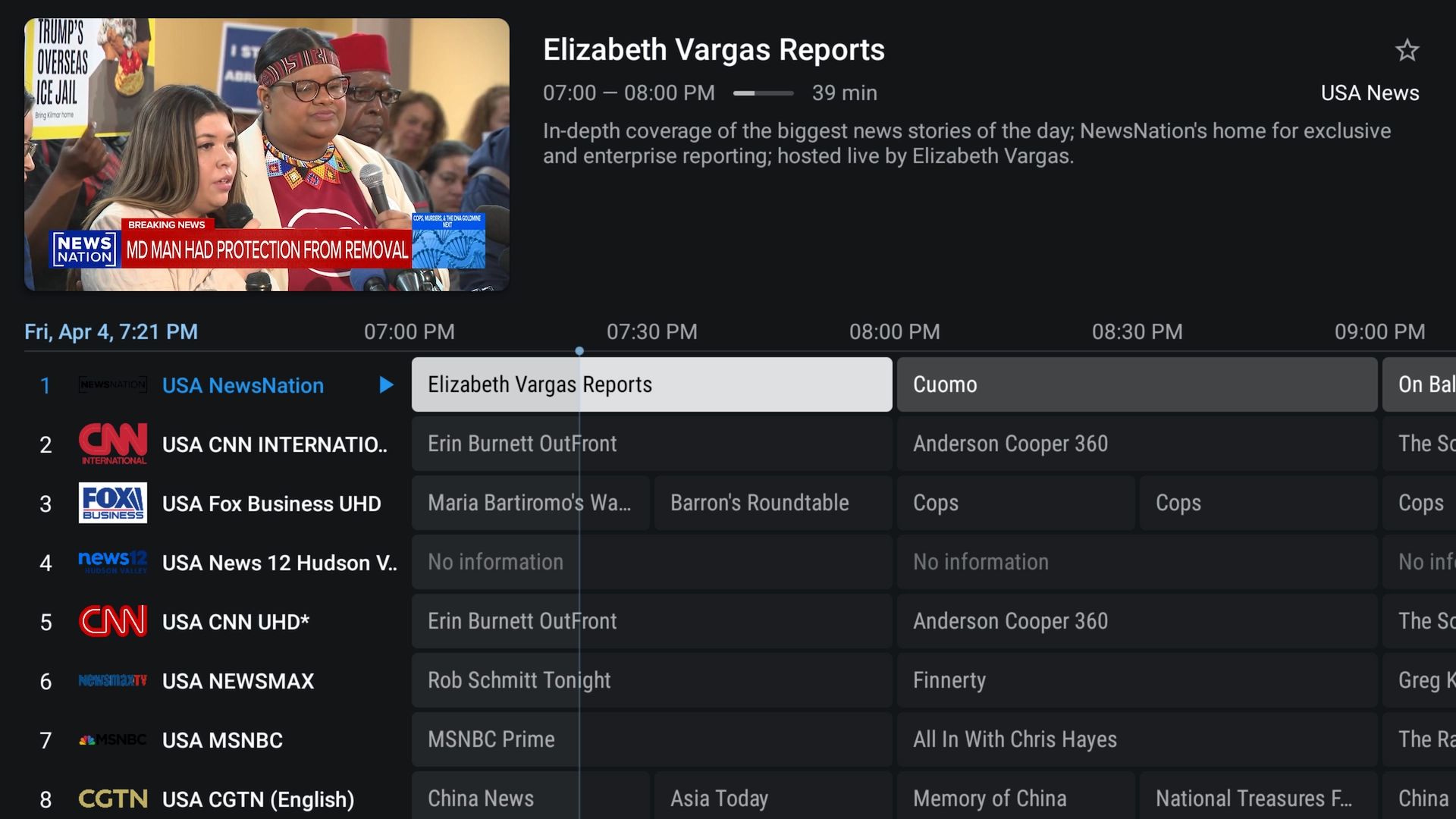
If you mostly watch on a television with a remote in hand, TiviMate is usually the first app we suggest. It really shines with big channel lists, because its categories, favourites and EPG make thousands of channels far easier to move through.
Worth knowing: TiviMate is built for TV-style Android devices. It isn't the app we'd recommend for an iPhone, iPad or a touchscreen Android phone.
Read our full TiviMate installation guideA 2026 Firestick heads-up: Fire OS vs Vega OS
Amazon is shifting the operating system on its newest Fire TV Stick models. Older Firesticks run Fire OS, which is Android-based and happily installs Android apps. Some newer models — such as the Fire TV Stick 4K Select — use Amazon's new Vega OS, and Amazon has signalled that future sticks will move to it as well.
The practical takeaway: don't assume an Android app like TiviMate will install on every brand-new Fire TV Stick from here on. If maximum freedom to run Android TV apps matters to you, a Google TV or Android TV device is the safer bet.
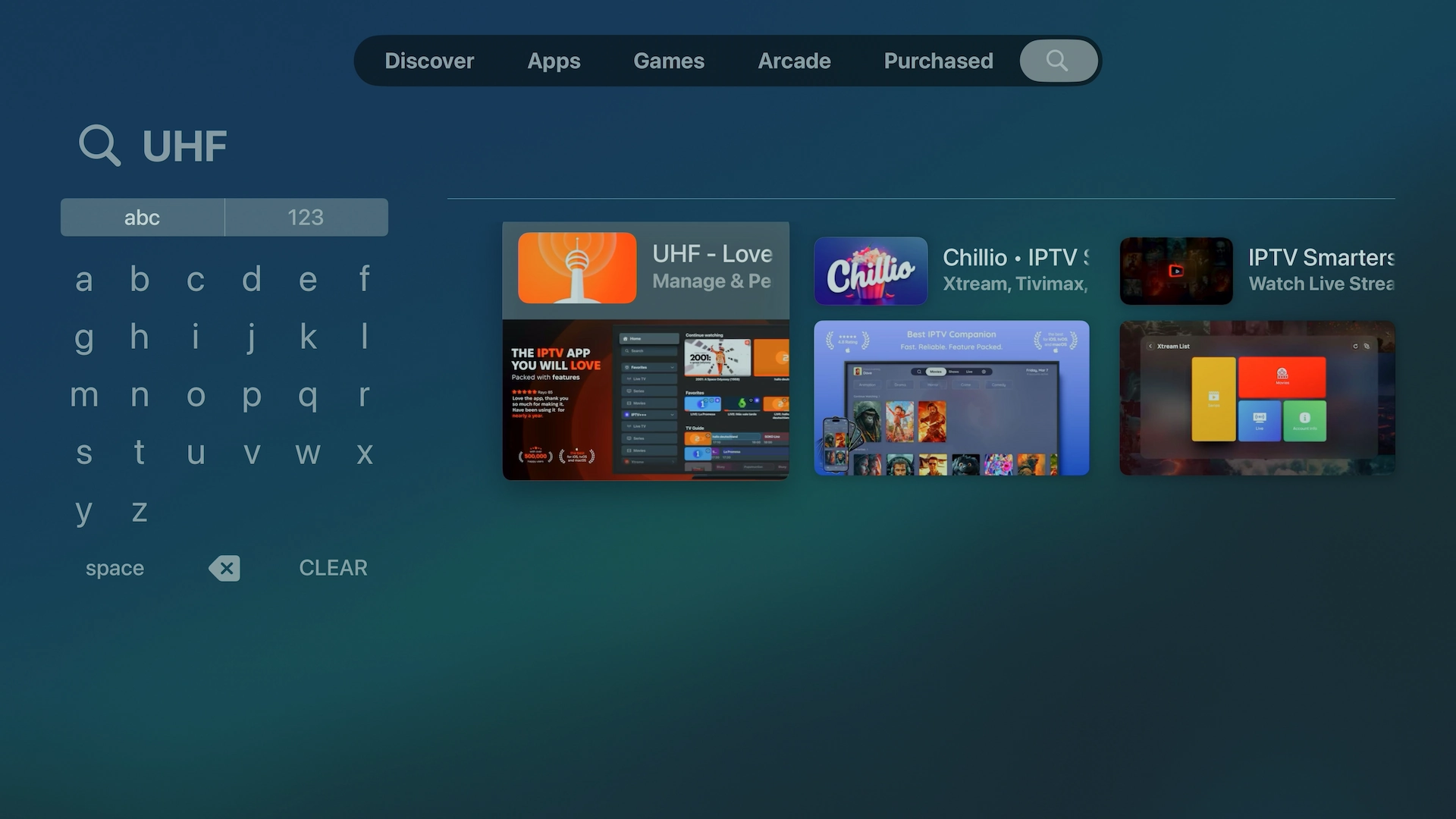
2. UHF – Love Your IPTV — best for Apple TV, iPhone & iPad
For anyone in the Apple ecosystem, UHF – Love Your IPTV is our current first choice. It's built specifically for Apple hardware and brings a genuinely modern interface to Apple TV, iPhone, iPad and compatible Macs. When customers ask us for the best IPTV app for Apple TV, this is now the one we point to first.
Great on these devices
- Apple TV
- iPhone
- iPad
- Compatible Macs
Why we like it
- Clean, Apple-native interface
- Xtream Codes and M3U/M3U8 playlist support
- Electronic programme guide
- Separate Live TV, Movies and Series sections
- Favourites and tidy category organisation
- Catch-up and Picture-in-Picture
- AirPlay and Chromecast
- 4K HDR, Dolby Vision and Dolby Atmos on supported hardware/content
- Trakt integration and optional multi-device sync
 -->
How the interface feels
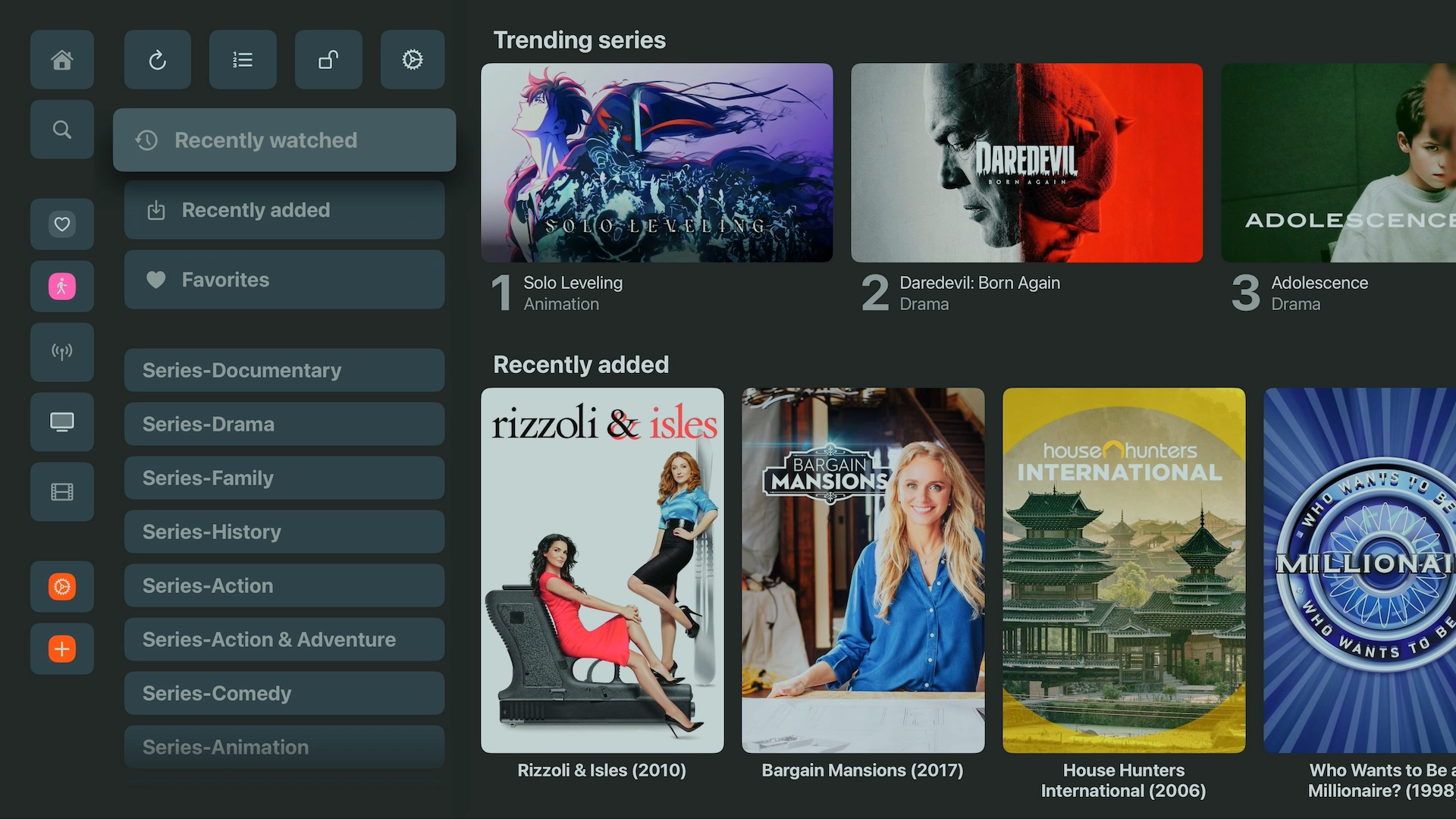
One of the reasons UHF stands out is how it presents large IPTV libraries — everything sits in a clean layout that feels right at home on Apple TV rather than cramped or cluttered.
3. Smarters Player Lite — second choice for Apple TV, iPhone & iPad
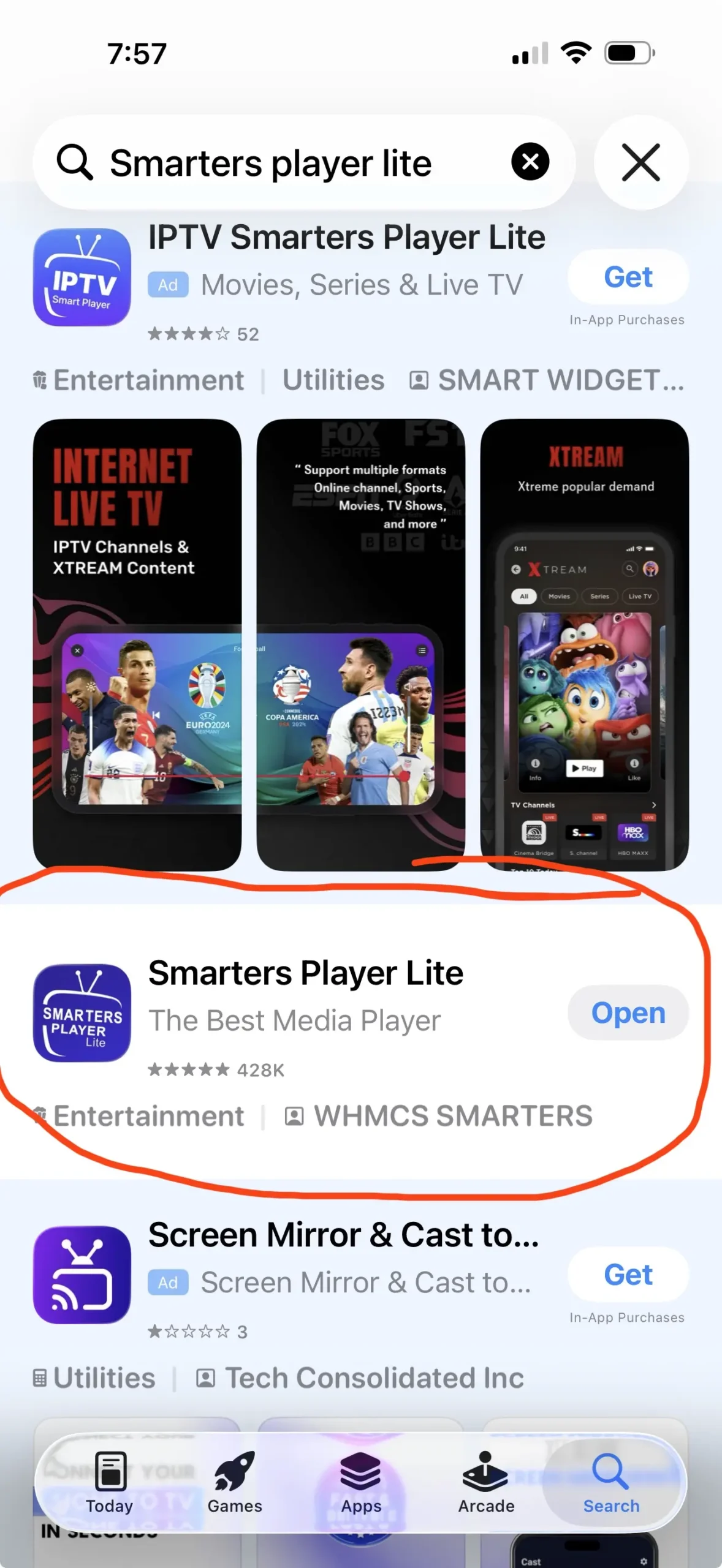
If you'd rather stick with the familiar IPTV Smarters look, Smarters Player Lite is our runner-up for Apple devices. On iPhone, iPad and Apple TV, search the App Store specifically for Smarters Player Lite by WHMCS SMARTERS.
Why you might choose it
- Available on Apple TV, iPhone and iPad
- Simple, approachable interface
- Supports common playlist formats such as M3U
- Familiar for anyone who already uses IPTV Smarters
- An easy option for beginners
We still put UHF ahead of it thanks to its more polished, Apple-focused design and broader feature set — but Smarters Player Lite remains a solid pick if you already know and like the Smarters layout.
4. IPTV Smarters Pro — best for Android phones & tablets

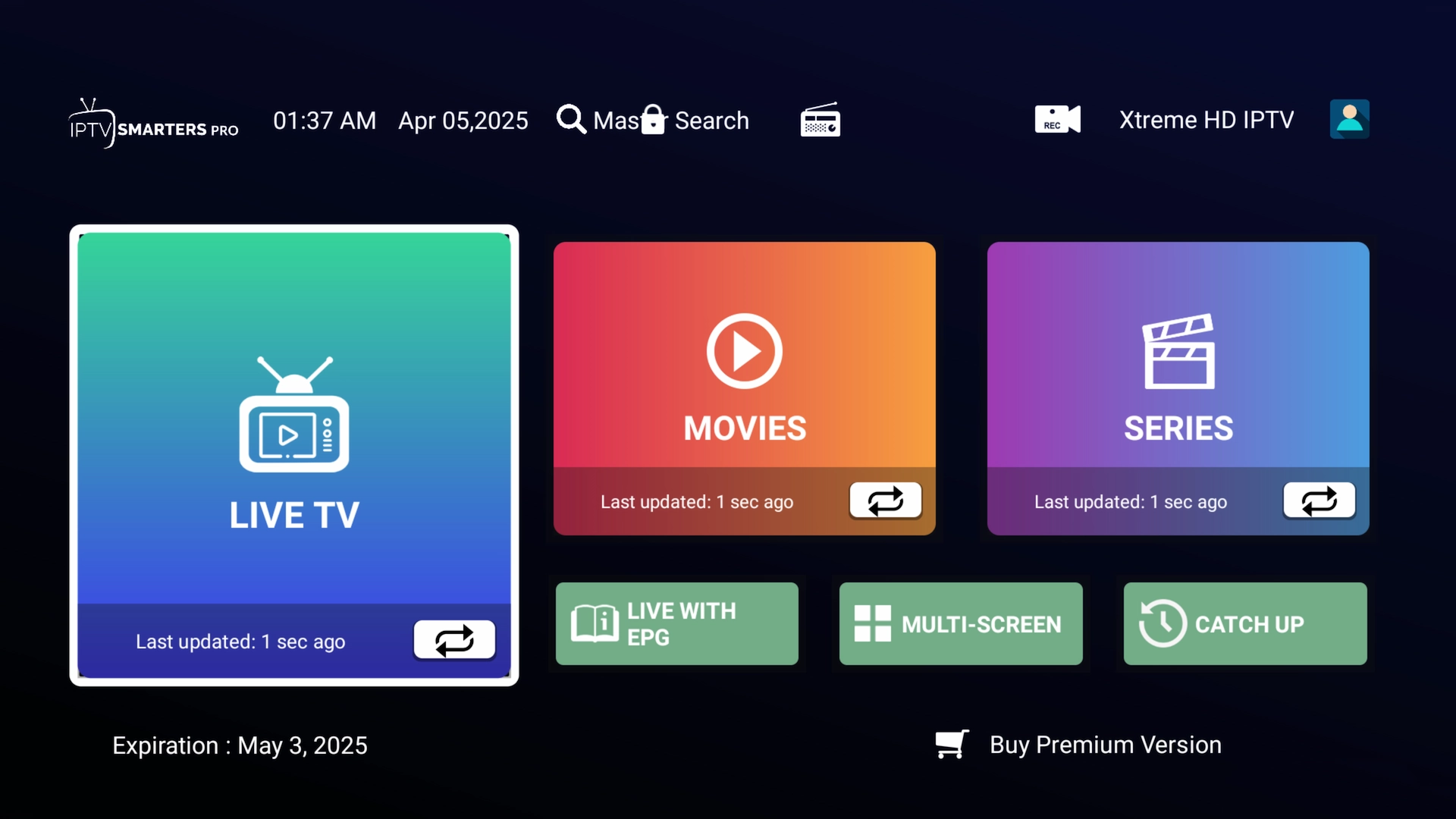
IPTV Smarters Pro is one of the easiest players to recommend when you want something that works well on touchscreen Android devices as well as on a TV. Where TiviMate is built around a remote, Smarters is comfortable on phones and tablets too.
Great on these devices
- Android phones and tablets
- Android TV and Google TV
- Compatible Fire TV devices
- Windows and other supported platforms
Why we like it
- Straightforward Xtream Codes login
- Live TV, Movies and Series
- EPG and catch-up where available
- Multi-screen features in supported versions
- Comfortable on both touchscreens and remotes
5. IBO Player / IBO Player Pro — best for Samsung & LG Smart TVs
Samsung and LG televisions work differently from Android TV devices — you generally can't sideload Android apps onto Samsung's Tizen or LG's webOS. For those sets, we usually reach for IBO Player or one of the current IBO variants in the TV's own app store.
Why it works well on smart TVs
- Built for TV remotes
- Available on many Samsung and LG models
- Supports M3U/M3U8 playlists
- Supports Xtream-style playlists in compatible versions
- Favourites and multiple playlists in supported builds
- No extra streaming box required
On a Samsung set, search the Samsung Apps store for IBO Player, IBO Player Pro or another supported IBO version for your specific model. Because names and availability shift between models, regions and stores, always confirm the exact app before you activate a playlist.
6. Hot Player — a handy smart-TV alternative
Hot Player is another option worth knowing about for televisions where TiviMate isn't available. Depending on the platform and region, it turns up across a range of TV operating systems and streaming devices.
Where it can help
- Samsung and LG Smart TVs
- VIDAA televisions
- Roku, Android TV and Fire TV
- Apple devices and Windows
On Samsung or LG we'd normally check for IBO Player first, keeping Hot Player in your back pocket if you prefer its interface or IBO isn't offered on your particular model.
What about Perfect Player and GSE Smart IPTV?
Plenty of older guides leaned on apps like Perfect Player and GSE Smart IPTV. They did an important job in earlier IPTV setups, but they're no longer at the top of our list. In 2026 we'd generally choose TiviMate for Android TV, UHF for Apple TV and iOS, Smarters Player Lite as the Apple alternative, IPTV Smarters Pro for Android phones and tablets, and IBO Player for many Samsung and LG sets — which is why our picks look different from a lot of the older lists still floating around online.
TiviMate vs IPTV Smarters — which is better?
This is one of the questions we hear most. The honest answer is that they're built for different situations.
Lean towards TiviMate if…
- You mainly watch on a television
- You use Android TV, Google TV or an NVIDIA Shield
- You want a cable-style TV guide
- You have a very large playlist
- You like to fine-tune everything
Lean towards IPTV Smarters if…
- You use an Android phone or tablet
- You prefer a simpler interface
- You often switch between touchscreen and TV
- You already know the Smarters layout
For Android TV specifically, we generally rank TiviMate first and IPTV Smarters second.
UHF vs Smarters Player Lite on Apple TV
For Apple TV, iPhone and iPad we currently rank UHF first and Smarters Player Lite second. UHF wins for us because its interface feels more native to Apple and it packs a stronger feature set for larger libraries. Smarters Player Lite is still a good shout, especially if you already run Smarters elsewhere and like the familiar layout.
Can you run TiviMate on Apple TV?
No. TiviMate is an Android TV app and there's no Apple TV version. On Apple hardware, use UHF – Love Your IPTV first, or Smarters Player Lite as the alternative.
Can you run TiviMate on a Samsung or LG TV?
Not directly on most Samsung Tizen or LG webOS sets, since they don't run Android TV. You've got two good routes: install a compatible TV app such as IBO Player, or add an external Android TV / Google TV box and run TiviMate on that.
What login details do these apps need?
Most IPTV players support Xtream Codes login, which usually means three pieces of information: a server URL, a username and a password. Some apps can also load an M3U playlist URL instead. Remember that the player and the service are separate — installing TiviMate, UHF, Smarters or IBO Player won't provide channels on its own; you add your Get Streamer HD IPTV details to bring everything to life.
Does switching apps fix buffering?
Occasionally, yes — changing players can help with a playback or codec quirk. But an app can't cure every buffering problem, because a lot of buffering comes from outside the app entirely: Wi-Fi interference, internet routing issues, an overloaded device, limited bandwidth, ISP throttling or a server-side hiccup. If your connection is fast but playback still stutters, our support team can help you track down the cause.
Our final IPTV app picks for 2026
If you only take one thing from this guide, make it this shortlist: